For macOS 26, macOS 15, macOS 14, macOS 13, macOS 12 Updated 22 Dec 2025
Content Id: 0200758402
About the driver
Outline
The plugin software allows clips recorded in ProRes RAW format by the ATOMOS recorder to be edited using Canon’s development agent to adjust/process the development parameters in Final Cut Pro.
Update History
■Changes for Canon Plugin 1.2.0 for ProRes RAW : - Supports EOS R6 Mark III.
■Changes for Canon Plugin 1.1.10 for ProRes RAW : - Supports EOS R1. - Supports EOS C80.
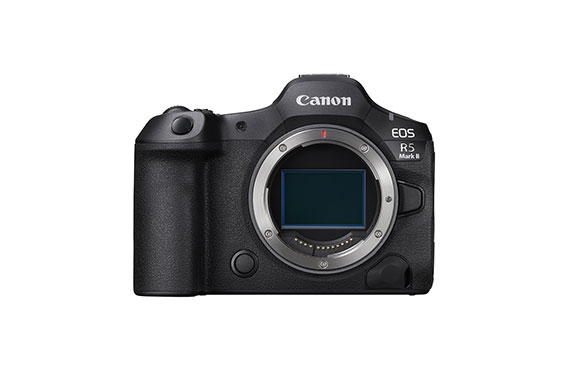
■Changes for Canon Plugin 1.1.0 for ProRes RAW : - Supports EOS R5 Mark II.
■Changes for Canon Plugin 1.0.0 for ProRes RAW : - First Release.
System requirements
To use this software, your computer has to meet the following system requirements. * Operation is not guaranteed on all computer that satisfy this environment.
1. Installation Requirements The following software must be installed on the PC - Final Cut Pro 10.6.6 or later 2. Supported OSes - Same as the support conditions of Final Cut Pro 3. Compatible PCs - Same as the support conditions of Final Cut Pro GPU; [Required operating environment] *The following environment is required to handle clips with a resolution of less than 8K. - Mac with VRAM 2GB or more GPU (including built-in) *The following environment is required to handle 8K resolution clips. - Mac with VRAM 4GB or more GPU (including built-in) [Recommended operating environment] - iMac Pro equipped with AMD Radeon Pro Vega 64 or - Mac Studio equipped with Apple M1 Ultra chip 64-core GPU 4. Display - Same as the support conditions of Final Cut Pro
Setup Instructions
Please refer to the instructions below on how to download and install the software. Exit all other applications when installing this software.
1. Download "prpm-***.dmg.gz" from the download page. 2. Extract "prpm-***.dmg.gz" on the computer to generate "prpm-***.dmg". 3. Double-click "prpm-***.dmg" to display the disk icon "prpm***" on the desktop. 4. Double-click "prpm***" to open it, then double-click "PRPMInstaller.pkg". 5. Follow the on-screen instructions to complete the installation.
File information
File Name : prpm-1-2-0-8-10l.dmg.gz File Type : AP File Size : 3375393KB
Canon Driver Downloads is for the support of Canon Products SOLD IN AUSTRALIA AND NEW ZEALAND ONLY. It includes drivers and demonstration software for Canon brand printers, scanners, cameras and other Canon products.
DISCLAIMER: CANON AUSTRALIA PTY LTD MAKES NO GUARANTEES OF ANY KIND WITH REGARD TO ANY PROGRAMS, FILES, DRIVERS OR ANY OTHER MATERIALS CONTAINED ON OR DOWNLOADED FROM THIS, OR ANY OTHER, CANON SOFTWARE SITE. ALL SUCH PROGRAMS, FILES, DRIVERS AND OTHER MATERIALS ARE SUPPLIED "AS IS." CANON DISCLAIMS ALL WARRANTIES, EXPRESS OR IMPLIED, INCLUDING, WITHOUT LIMITATION, IMPLIED WARRANTIES OF MERCHANTABILITY, FITNESS FOR A PARTICULAR PURPOSE AND NON-INFRINGEMENT. CANON AUSTRALIA PTY LTD SHALL NOT BE HELD LIABLE FOR ERRORS CONTAINED HEREIN, OR FOR LOST PROFITS, LOST OPPORTUNITIES, CONSEQUENTIAL OR INCIDENTAL DAMAGES INCURRED AS A RESULT OF ACTING ON INFORMATION, OR THE OPERATION OF ANY SOFTWARE, INCLUDED IN THIS SOFTWARE SITE.
Export: Some of the software is subject to export controls under the U.S. Export Administration Regulations (EAR), and anyone receiving the software cannot export the software without a license or other authorisation of the U.S. Canon will not be liable for any loss of whatsoever nature incurred as a result of this prohibition.
Applicable software includes;
- Software using OS created by US companies
- Driver software (printer driver, fax driver),
- Utility software (Network ScanGear),
- Application software (imageWARE products),
- Support tool (SST, NAVI, etc)
- Firmware of the device (main body)
and any further software that may from time to time be added to this list.

 Close
Close