Solution
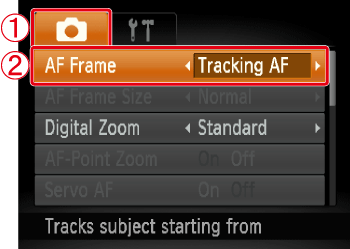
Shoot after choosing a subject to focus on as follows.
Shooting modes in which Tracking AF is possible
Caution
[Servo AF] is set to [On] and cannot be changed.
Tracking may not be possible when subjects are too small or move too rapidly, or when subject color or brightness matches that of the background too closely.
[AF-Point Zoom] on the [Shooting] (

) tab is not available.
[Macro] (

) is not available.
The following explanations are provided based on the assumption that the [Shooting Mode] is set to [Program AE] (

).
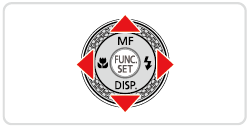
2. Press the ⋖ ⋗ button.
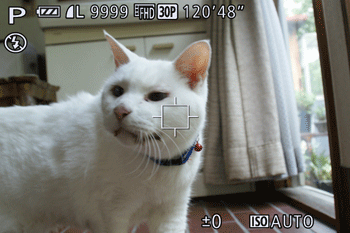
4. ( ) is displayed in the center of the screen. Aim the camera so that () is on the desired subject, and then press the[AF frame selector] ⋖
 ⋗ button.
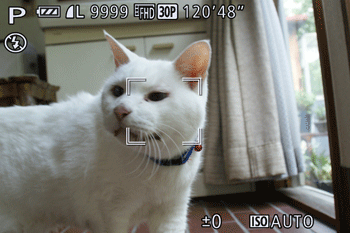
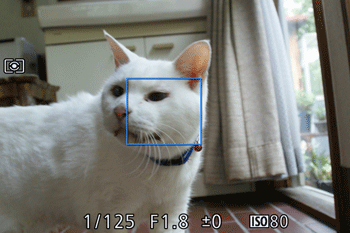
- When the subject is detected, the camera beeps and ( ) is displayed. Even if the subject moves, the camera will continue to track the subject within a certain range.
- If no subject is detected, () is displayed.

Caution
To cancel tracking, press the (
) [AF Frame Selector] ⋖
⋗ button again.
The camera can detect subjects even if you press the shutter button halfway without pressing the ⋖
⋗ button. After your shot, (
) is displayed in the center of the screen.
5. Press the shutter button halfway. () changes to a blue ( ) which follows the subject as the camera continues to adjust the focus and exposure
Press the shutter button all the way down to shoot.
- Even after your shot, () is still displayed and the camera continues to track the subject.
Tracking AF is possible in the following shooting modes.
 *1,
*1,
 *1,
*1,
 ,
,
 ,
,
 ,
,
,
,
 *2,
*2,
 ,
,
 ,
,
 ,
,
 ,
,
 ,
,
 ,
,
 ,
,

*1 Options vary depending on the assigned shooting mode.
*2 Only available by pressing the < > button.

 Close
Close