
 Close
Close









The camera will select the necessary settings for the conditions in which you wish to shoot when you choose the matching mode.
Set the Shooting mode
1. Turn on the camera.
2. Set the ⋖Mode Dial⋗ to ⋖SCN⋗ (
Caution
 ). Subsequent procedures are the same as described below.
 3. Press the ⋖FUNC./SET⋗ (
4. The following screen appears.
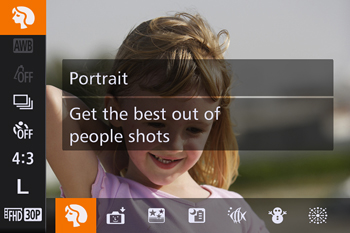
Press the ⋖

If no changes have been made to the settings so far, [Portrait] (
Press the ⋖FUNC./SET⋗ (

5. The following screen appears.

When the icon for the [Shooting Mode] you want appears in the top-left corner of the screen, the setting is complete.
Shooting Modes
| Mode Dial | Scene | Shooting mode | Effect | |
| Shooting in Various Conditions | Shoot portraits | [Portrait] () | Take shots of people with a softening effect. |
| Shoot evening scenes without using a tripod | [Handheld NightScene] ( ) ) | •Beautiful shots of evening scenes or portraits with evening scenery in the background, without the need to hold the camera very still (as with a tripod). | ||
| •A single image is created by combining consecutive shots, reducing camera shake and image noise. | ||||
| Shoot underwater | [Underwater] ( ) ) | •Natural-colored shots of sea life and underwater scenery, when you use an optional waterproof case | ||
| •This mode can correct white balance and match the effect of using a commercially available color-compensating filter | ||||
| Shoot with snowy backgrounds | [Snow] ( ) ) | Bright, natural-colored shots of people against snowy backgrounds. | ||
| Shoot fireworks | [Fireworks] ( ) ) | Vivid shots of fireworks. | ||
| Adding Effects and Shooting | Shoot in vivid colors | [Super Vivid] ( ) ) | Shots in rich, vivid colors. |
| Posterized shots | [Poster Effect] ( ) ) | Shots that resemble an old poster or illustration. | ||
| Shooting High-Contrast Scenes | [High Dynamic Range] (HDR) | Three consecutive images are captured at different brightness levels each time you shoot, and the camera combines image areas with optimal brightness to create a single image. This mode can reduce the washed-out highlights and loss of detail in shadows that tends to occur in high-contrast shots. | ||
| Shooting with Faded Colors | [Nostalgic] ( ) ) | This effect makes colors look faded and images look weathered, as in old photographs. Choose from five effect levels. | ||
| Shooting with a Fish-Eye Lens Effect | [Fish-eye Effect] ( ) ) | Shoot with the distorting effect of a fish-eye lens. | ||
| Shots Resembling Miniature Models | [Miniature Effect] ( ) ) | Creates the effect of a miniature model, by blurring image areas above and below your selected area. | ||
| Shooting with a Toy Camera Effect | [Toy Camera Effect] ( ) ) | This effect makes images resemble shots from a toy camera by vignetting (darker, blurred image corners) and changing the overall color. | ||
| Shooting with a Soft Focus Effect | [Soft Focus Effect] ( ) ) | This function allows you to shoot images as if a soft focus filter were attached to the camera. You can adjust the effect level as desired. | ||
| Shooting in Monochrome | [Monochrome] ( ) ) | Shoot images in black and white, sepia, or blue and white. | ||
| Auto Shooting after Face Detection | [Smart Shutter] ( ) ) | The camera can be set to shoot after detecting a smile [Smile Detection], wink [Wink Self-Timer], or the face of another person after they have entered the shooting area [Face Self-Timer] | ||
| Shooting Starry Skies | [Star] ( ) ) | You can shoot night scenes under starry skies [Star Nightscape], star trails [Star Trails], or shoot movies of star movement [Star Time-Lapse Movie]. | ||
 | Shooting Various Movies | Shooting Movies | [Movie] () | You can lock or change image brightness before shooting to make movement look smoother. |
| Shooting Super Slow Motion Movies | [Super Slow Motion Movie] ( ) ) | You can shoot fast-moving subjects for playback later in slow motion. | ||
Caution
Please review the additional information for the shooting modes listed below.
Additionally, try taking some test shots first, to make sure you obtain the desired results.
[Handheld NightScene] (
[Handheld NightScene] (
[Fireworks] (
[Miniature Effect] (
[Smile Detection] (
[Star Nightscape] (


[Star Trails] (
[Star Time-Lapse Movie] (
[Super Slow Motion Movie] (