
 Close
Close









Solution
If you shoot an image with a fast shutter speed under a light source such as fluorescent light, the blinking of the light source causes flicker and the image may be exposed unevenly in the vertical direction. If continuous shooting is used under these conditions, uneven exposures or colors may occur across the images.
When you use this feature during viewfinder shooting, the camera detects the frequency of the light source's blinking and takes the picture when the flicker causes less effect on exposure or color tone.
Setting procedures for anti-flicker shooting are explained below.
1. Set the camera's power switch to ⋖ON⋗.
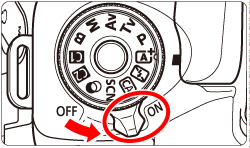
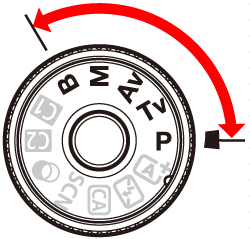
2. Set the camera's Mode Dial to a Creative Zone mode.
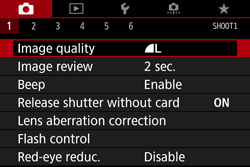
3. Press the ⋖MENU⋗ button to display the menu.
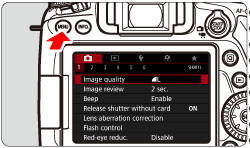
4. Press the ⋖

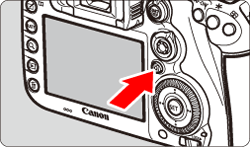
5. Turn the ⋖

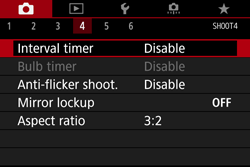
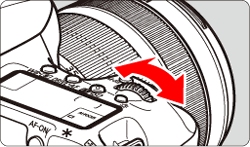
6. Turn the ⋖

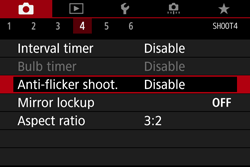
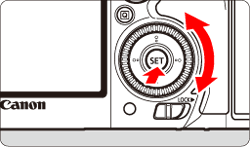
7. Turn the ⋖
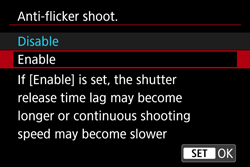
8. Take the picture.
When the camera reduces the effects of the flicker when you shoot, ⋖
Under a light source which does not flicker, or if no flicker is detected, ⋖
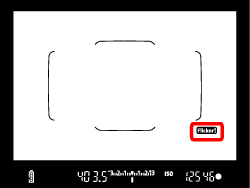
If [Flicker detection] is set to [Show] and [Anti-flicker shoot.] is set to [Disable], metering under a flickering light source will cause ⋖
Caution
Taking test shots in advance is recommended.
Caution
 ⋗ or ⋖
 ⋗ mode, if the shutter speed changes during continuous shooting or if you shoot multiple shots of the same scene at different shutter speeds, the color tone may be inconsistent. To avoid inconsistent color tones, use the ⋖
 ⋗ or ⋖
 ⋗ mode at a fixed shutter speed. ⋗ is displayed in the viewfinder. ⋗ may appear and disappear intermittently.
 Caution
⋗ is not displayed in the viewfinder, under [  : Viewfinder display], set [Flicker detection] to [Show]. Follow the steps below to configure the settings.
1. Press the ⋖MENU⋗ button to display the menu.
2. Press the ⋖
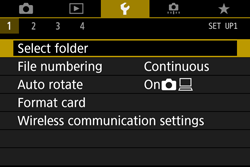
3. Turn the ⋖
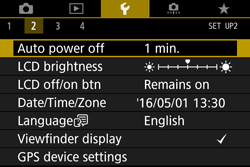
4. Turn the ⋖
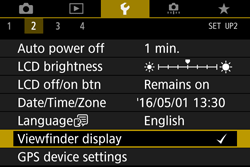
5. Turn the ⋖
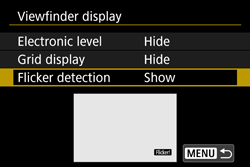
6. Turn the ⋖
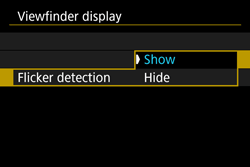
⋗ will not be displayed, but the effects of flicker will be reduced when you shoot.