Solution
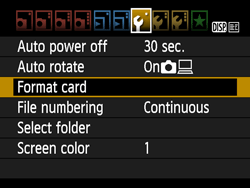
If a card is new or was previously formatted (initialized) by another camera or computer, format the card with this camera so that the camera can record to it correctly.
Use [Format card] in the following cases as well:
The card is full with images or data.
A card-related error displayed.
*For details on card-related errors, refer to the instruction manual provided with the camera.
Caution
When a card is formatted, all images and data on the card are erased. Even protected images will be erased, so make sure there is nothing you need to keep. If necessary, transfer the images and data to a computer, etc., before formatting the card.
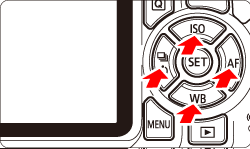
1. Set the camera's power switch to ⋖ON⋗.
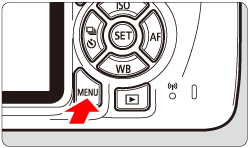
2. Press the ⋖MENU⋗ button to display the menu.
4. Select [OK], then press ⋖  ⋗.
⋗.
The card will be formatted.
When the formatting is completed, the menu will reappear.
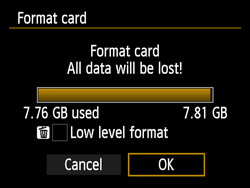
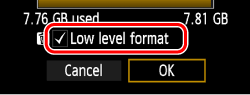
For low-level formatting, press the ⋖  ⋗ button to add a checkmark [
  ] to [Low level format], then select [OK] and press ⋖ ⋗.
Caution
Low-level Formatting
Perform low-level formatting in cases such as when the card's recording or reading speed seems slow.
Since low-level formatting will format all recordable sectors on the card, the formatting will take slightly longer than normal formatting.
You can stop low-level formatting by selecting [Cancel]. Even in this case, normal formatting will be completed and you can use the card as usual.
Caution
When the card is formatted or data is erased, only the file management information is changed. The actual data is not completely erased. Be aware of this when selling or discarding the card. When discarding the card, destroy the card physically to prevent personal data from being leaked.
Before using a new Eye-Fi card, the software on the card must be installed on your computer. Then format the card with the camera.
Caution
The card capacity displayed on the card format screen may be smaller than the capacity indicated on the card.
This device incorporates exFAT technology licensed from Microsoft.

 Close
Close