
 Close
Close









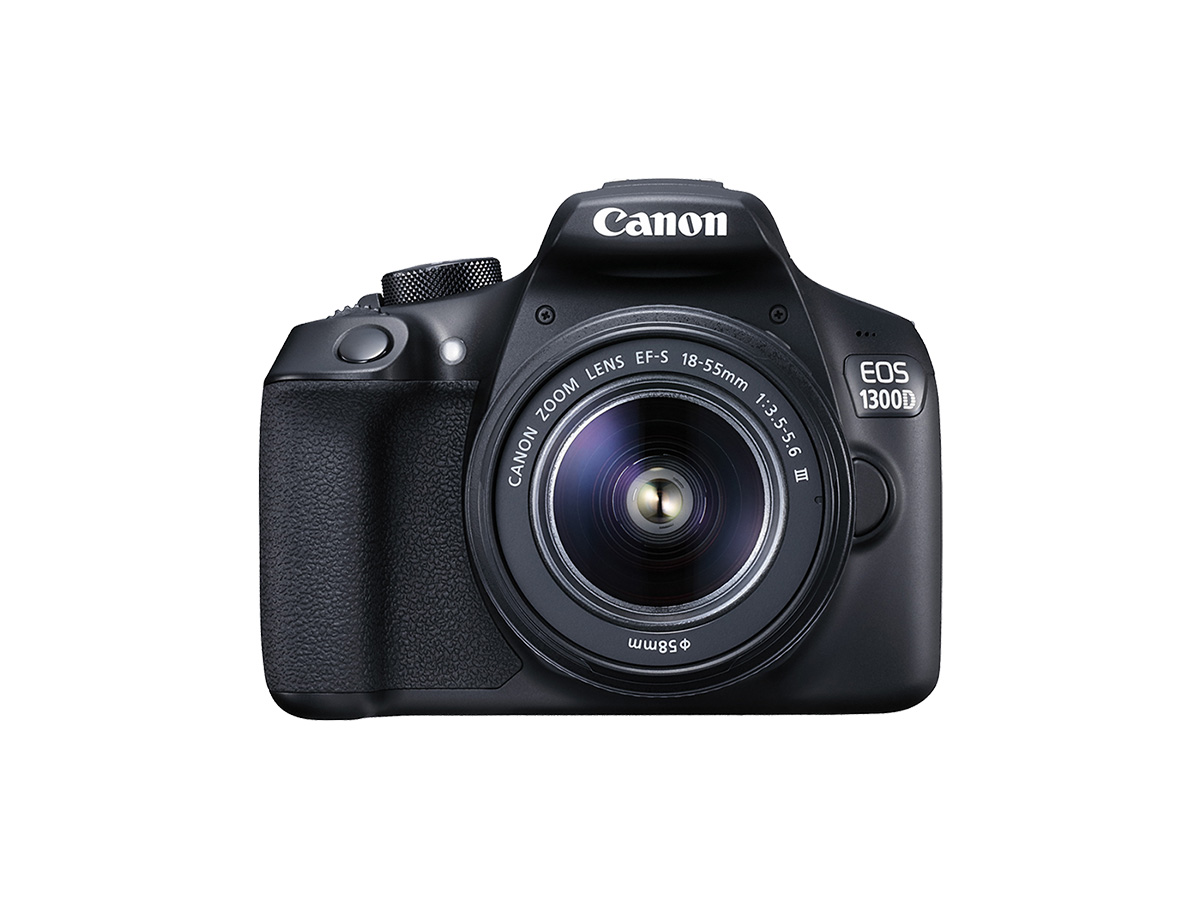
Solution
Part I Preparing for Live View ShootingPart II Switching the AF Method
Part II-1 Focusing with AF (FlexiZone - Single)
Part II-2 Focusing with AF (Face detection Live Mode)
Part II-3 Focusing with AF (Quick mode)
Part III Focusing with MF (Manual Focus)
Part IV Taking the Picture
General Live View Shooting Cautions
You can shoot while viewing the image on the camera's LCD monitor. This is called "Live View shooting".
This article explains how to change the focus mode during Live View shooting. For details on how to use Live View shooting easily with the default settings, refer to the related information.
Note that the shooting procedure is slightly different for still photos and movies. To shoot still photos, refer to the instructions for still photos. To shoot movies, refer to the instructions for movies.
Part I Preparing for Live View Shooting
1. Set the camera's power switch to ⋖ON⋗.
2. Turn the mode dial.
 ⋗ (movie shooting mode).
To focus on the subject using AF (autofocus), go to Part II. To focus on the subject using MF (manual focus) go toPart III . The procedures in Part II and Part III apply to both still photo shooting and movie shooting.
Part II Switching the AF Method
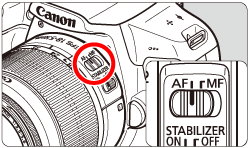
3. Set the lens's focus mode switch to ⋖AF⋗.
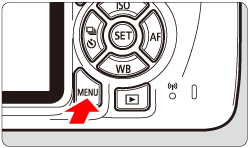
4. Check that the camera is prepared to shoot, and then press the ⋖MENU⋗ button.
5. Select the menu tab with the ⋖ 
 ] tab, and then set [Live View shoot.] to [Enable].
*In Basic Zone modes, these menu options are displayed under the [ 
 ] tab.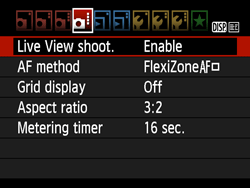
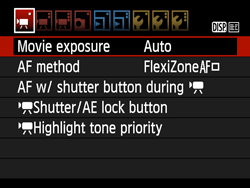
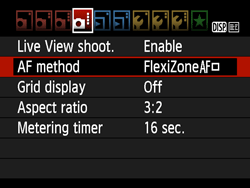
6. Select [AF method], then press ⋖ 
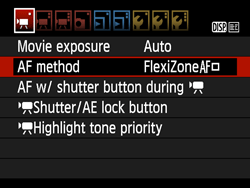
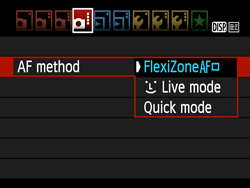
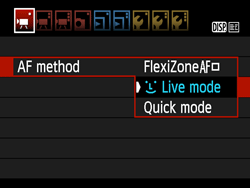
7. Select the AF method item, then press ⋖
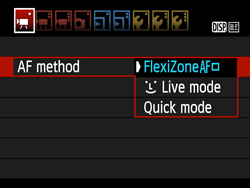
Caution
If you press the ⋖ 
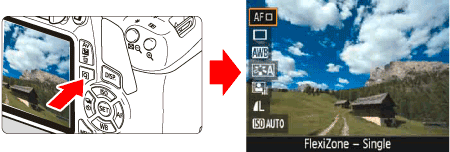
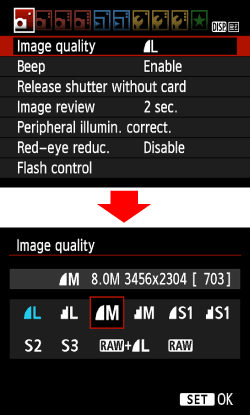
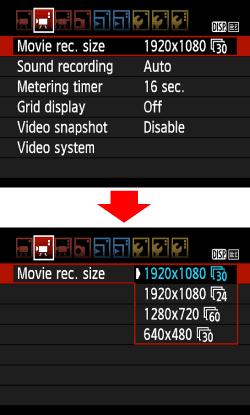
8. Select the image-recording quality for still photos or the recording size for movies.
 ] tab, then press ⋖ ⋗ and select an image quality on the screen shown.
  ] tab, then press ⋖ ⋗ and select an image size and frame rate on the screen shown. The frame rate switches automatically depending on the [ : Video system] setting.
For details about image-recording quality for still photos and recording size and frame rate for movies, refer to the Instruction Manual included with the camera.
9. Press the ⋖ 
Still Photo Shooting
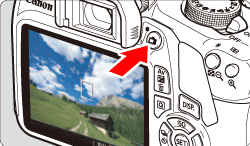
Movie Shooting
Proceed to one of the following procedures, depending on which AF method you select.
Part II-1 Focusing with AF (FlexiZone - Single)
Part II-2 Focusing with AF (Face detection Live Mode)
Part II-3 Focusing with AF (Quick mode)
Part II-1 Focusing with AF (FlexiZone - Single)
With [FlexiZone - Single], the image sensor is used to focus. Although AF is possible with the Live View image displayed, the AF operation will take longer than with [Quick mode].
Also, achieving focus may be more difficult than with [Quick mode].
[FlexiZone - Single] is selected in default settings.
10.
⋗ cross keys to move the AF point to where you want to focus. (It cannot be moved to the edge of the screen.) ⋗ to return the AF point to the center. (If C.Fn-9 is set, hold down the ⋖  /
/  ⋗ button and press ⋖ ⋗.)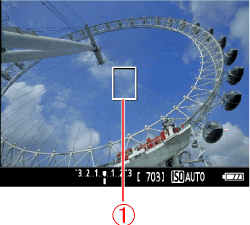
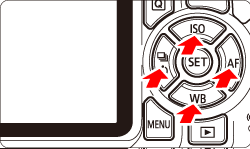
11. Aim the AF point over the subject and press the shutter button halfway. (Hold the button at the halfway point.)
Part II-2 Focusing with AF (Face detection Live Mode)
With [ 
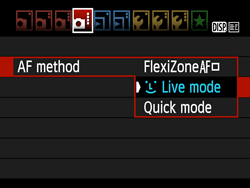
10. Focus on the subject's face.
 ] will appear over the face to be focused on.
 ] will be displayed. Use the ⋖
  ⋗ ⋖
⋗ ⋖  ⋗ keys to move the [ ] frame over the face you want to focus on.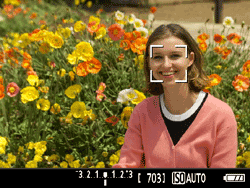
11. When you press the shutter button halfway, the camera will focus on the face covered by the [
 ] will be displayed and AF will be executed at the center.
Caution
Cautions When Shooting with [
] will be displayed. ] may cover only part of the face.Caution
⋗, the AF mode will switch to [FlexiZone - Single]. You can press the ⋖ ⋗ cross keys to move the AF point. Press ⋖ ⋗ again to return to [ (Face detection) Live Mode ]. (If C.Fn-9 is set, hold down the ⋖ / ⋗ button and press ⋖ ⋗.) ] will be grayed out. Then if you press the shutter button halfway, the center AF point [ ] will be used to focus.Part II-3 Focusing with AF (Quick mode)
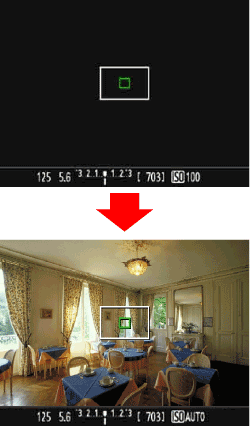
For [Quick Mode], the dedicated AF sensor is used to focus in One-Shot AF, using the same AF method as with viewfinder shooting.
Although you can focus on the target subject quickly, the Live View image will be interrupted momentarily during the AF operation.
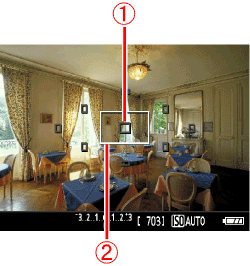
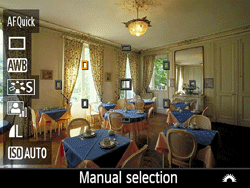
You can use nine AF points to focus (automatic selection). You can also select one AF point to focus and focus only on the area covered by that AF point (manual selection).
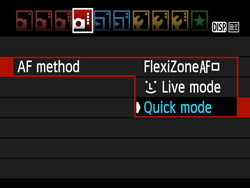
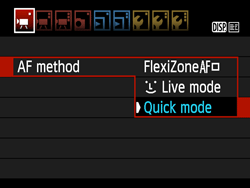
10. The small boxes on the screen are the AF points 
11. Press the ⋖
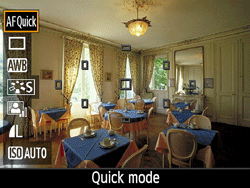
12. Select an AF point. Press the ⋖ 


13. Aim the AF point over the subject and press the shutter button halfway. (Keep the button held down.)
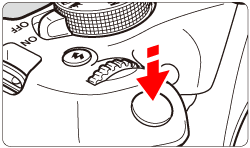
14. The Live View image will turn off, the reflex mirror will go back down, and AF will be executed. (No picture is taken.)
Part III Focusing with MF (Manual Focus)
You can magnify the image and focus precisely with manual focus.
3. After procedures 1 through 2, set the lens's focus mode switch to ⋖MF⋗.
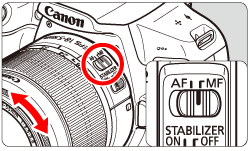
4. To shoot still photos, press the ⋖
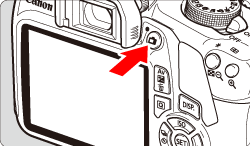
5. The image will appear on the LCD monitor.
Turn the lens focusing ring to focus roughly.
6. Use the ⋖
Press ⋖
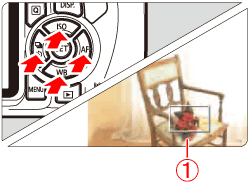
7. Press the ⋖ 
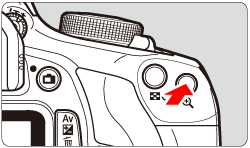
Each time you press the ⋖
Normal view -⋗ approx. 5x -⋗ approx. 10x -⋗ Normal view
8. While looking at the magnified image on the LCD monitor, turn the lens's focusing ring to focus manually.
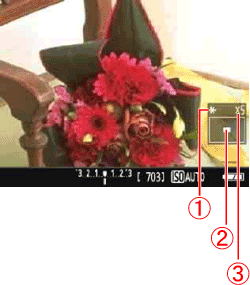

9. After achieving focus, press the ⋖
Part IV Taking the Picture
After achieving focus in Part II and Part III, take a picture.
To shoot a still photo, press the shutter button completely.
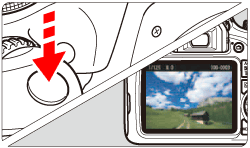
During movie shooting, press the ⋖
⋗ button again. ] mark will be displayed on the upper right of the screen.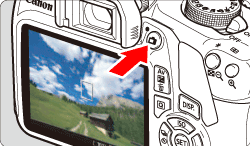
General Live View Shooting Cautions
Be sure to observe the following cautions during Live View shooting.
Caution
Do not hold the camera in the same position for long periods of time.
Even if the camera does not feel too hot, prolonged contact with the same body part may cause skin redness or blistering due to low-temperature contact burns. Using a tripod is recommended for people with circulation problems or very sensitive skin, or when using the camera in very hot places.
Caution
Live View Image
 : LCD brightness] to a bright setting, noise or irregular colors may appear in the Live View image. However, the noise or irregular colors will not be recorded in the captured image.
Custom Functions
For details on Custom Function settings, refer to the instruction manual supplied with the camera.
Lens and Flash
Image Quality
White [ 

] or red [ ] icon will appear. ] icon indicates that the image quality of still photos will deteriorate. It is recommended that you temporarily exit Live View shooting and allow the camera to cool down before shooting again. ] icon indicates that the Live View shooting will soon stop automatically. If this happens, you will not be able to shoot again until the camera's internal temperature decreases. Exit the Live View shooting or turn off the power and let the camera rest for a while. ] or [ ] icon to appear earlier. When you are not shooting, always turn off the camera. ] icon is displayed.Shooting Results
Notes for [FlexiZone - Single] and [
AF Operation
Magnified View
⋗ button, the area covered by the AF point will be magnified. Press the shutter button halfway to focus in the magnified view.This is effective when the camera is attached to a tripod and you need to attain very precise focus. If focusing is difficult in magnified view, return to the normal display and use AF. Note that the AF speed differs between the normal and magnified views. Live Mode] is set, magnified view is not possible.Caution
Playback and TV Connection
For details on how to connect the camera to a TV set, refer to the instruction manual provided with the camera.