
 Close
Close









Solution
1. Peel the shipping tapes off the scanner.
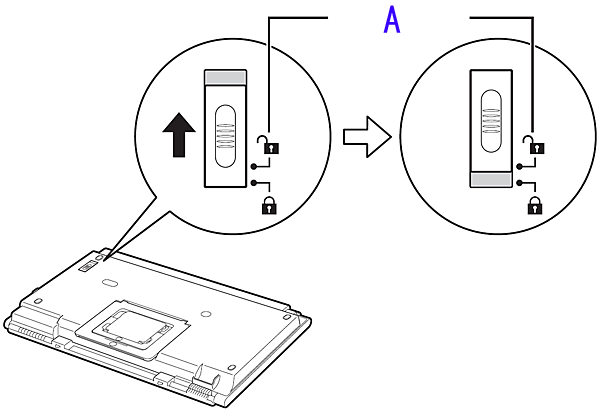
2. Slide the lock switch on the bottom of the scanner toward the unlock mark ( A : 
Caution
Handle the scanner with both hands. Be careful not to drop the scanner.
When you carry or transport the scanner, make sure to slide the lock switch toward the lock mark ( )to fasten the scanning unit.
)to fasten the scanning unit.