
 Close
Close









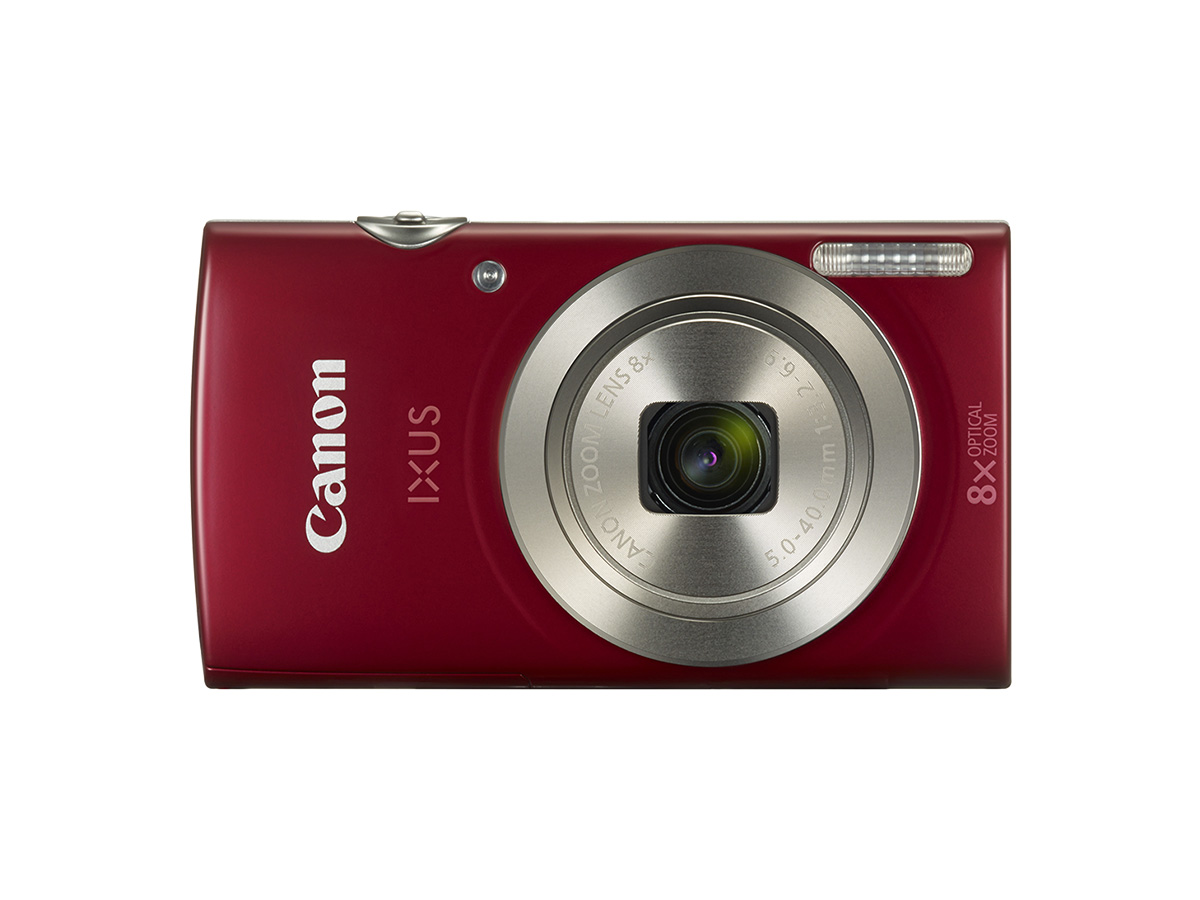
Camera
PowerShot ELPH 180 / IXUS 175
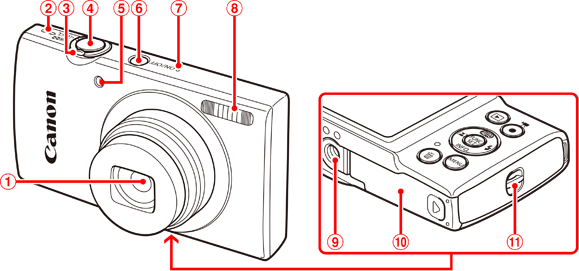
 | Lens |  | Microphone |
 | Speaker |  | Flash |
 | Zoom lever Shooting : [  (telephoto) ] / [ (telephoto) ] / [  (wide angle) ] (wide angle) ]Playback : [  (magnify) ] / [ (magnify) ] / [  (index) ] (index) ] |  | Tripod socket |
 | Shutter button |  | Memory card/battery cover |
 | Lamp |  | Strap mount |
 | Power button |
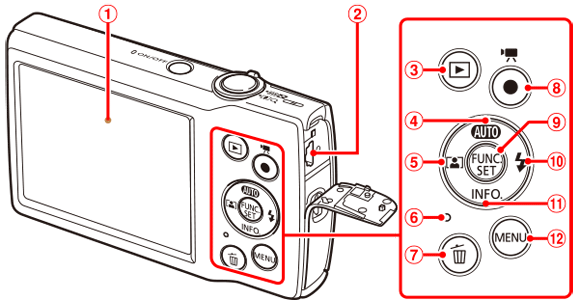
| Screen (monitor) | | [  (Single-image erase) ] button (Single-image erase) ] button |
| AV OUT (Audio/video output) / DIGITAL terminal | | Movie button |
| [  (Playback) ] button (Playback) ] button | | FUNC. (Function) / SET button |
| [  (Auto) ] / Up button (Auto) ] / Up button | | [  (Flash) ] / Right button (Flash) ] / Right button |
| [  (Auto zoom) ] / Left button (Auto zoom) ] / Left button | | [  (Information) ] / Down button (Information) ] / Down button |
| Indicator |  | [  ] button ] button |
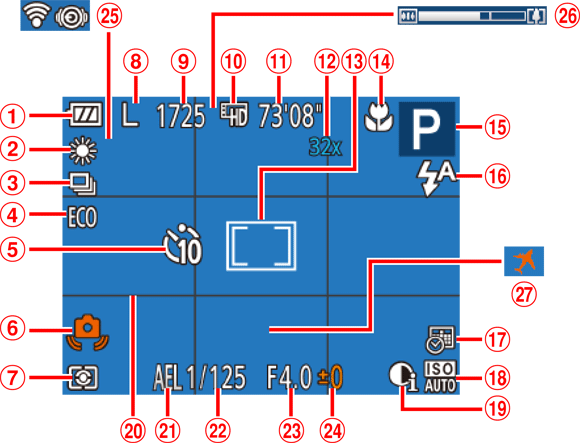
Shooting (Information Display)
| Battery level |  | Shooting mode, Scene icon |
| White balance |  | Flash mode |
| Drive mode |  | Date stamp |
| Eco mode |  | ISO speed |
| Self-timer |  | i-Contrast |
| Camera shake warning |  | Grid lines |
| Metering method |  | AE lock |
| Recording pixel setting |  | Shutter speed |
| Recordable shots |  | Aperture value |
| Movie quality |  | Exposure compensation level |
| Remaining time |  | Eye-Fi / FlashAir connection status |
| Digital zoom magnification |  | Zoom bar |
 | AF frame, Spot AE point frame |  | Time zone |
 | Focus range |
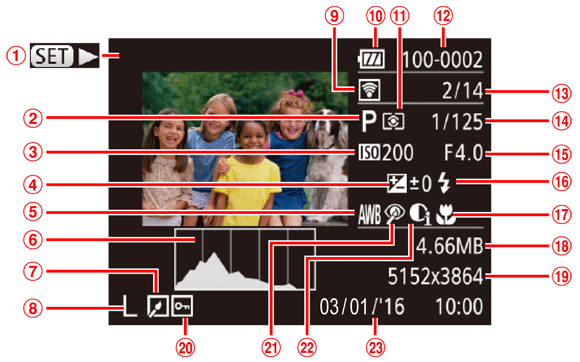
Playback (Detailed Information Display)
| Movies | | Current image no. / Total no. of images |
| Shooting mode | | Shutter speed (still images), Image quality / Frame rate (movies) |
| ISO speed, Playback speed | | Aperture value |
| Exposure compensation level | | Flash |
| White balance | | Focus range |
| Histogram | | File size |
| Image editing | | Still images : Recording pixel setting Movies : Playback time |
| Recording pixel setting, MOV (movies) | | Protection |
| Transferred via Eye-Fi | | Red-eye correction |
| Battery level | | i-Contrast |
| Metering method | | Shooting date / time |
| Folder number - File number |
Caution
Some information may not be displayed when viewing images on a TV.