Close
Close









Solution
Shooting standard movies (Standard)Changing the movie mode to shoot movies (Super Slow Motion Movie)
The details on how to shoot movies are described below.
You can press the movie button, and the camera will start recording movies automatically.
Please note that when the camera is used over an extended period, it may become warm. This does not indicate damage.
Caution
 ) when shooting movies, because sounds made by the camera will be recorded.
 Shooting standard movies (Standard)
1. Press the power button to turn the camera on.
2. The following screen appears.
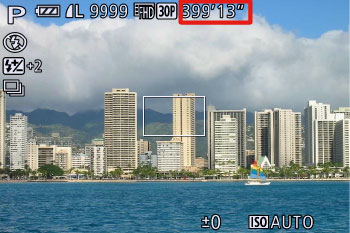
The maximum shooting duration appears on the [LCD Monitor].
If it does not appear, press the ⋖
3. Point the camera at the subject, and turn the ⋖Zoom Lever⋗ to compose the shot.
4. Press the ⋖Movie Button⋗ (
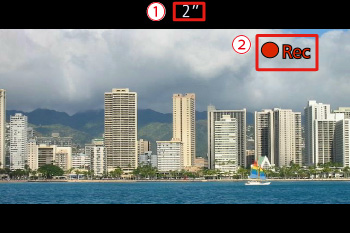
When the camera starts shooting 

Once shooting begins, take your finger off the ⋖Movie Button⋗ (
When you recompose shots, the focus, brightness, and colors will be automatically adjusted.
5. Press the ⋖Movie Button⋗ (

Caution
Number of Still Images / Length of Movies That Can Be Recorded on a Memory Card (PowerShot G16)
Changing the movie mode to shoot movies (Super Slow Motion Movie)
You can change the movie mode to [Super Slow Motion Movie] (
For details on the movie modes, please see the following table.
| Movie Mode | Description |
|---|---|
( ) Standard ) Standard | Standard mode |
| () Super Slow Motion Movie |
-You can shoot fast-moving subjects for playback later in slow motion. Note that sound is not recorded. Maximum clip length is approx.
30 sec. -Playback Time (For a 30- sec. Clip) [  ] (240 fps) [ ] (240 fps) [  ] (320 x 240)...Approx. 4 min. ] (320 x 240)...Approx. 4 min.[  ] (120 fps)[ ] (120 fps)[  ] (640 x 480)...Approx. 2 min. ] (640 x 480)...Approx. 2 min. |
Caution
), and [Super Slow Motion Movie] () modes, you can press the ⋖Shutter Button⋗ to shoot still images when you are not shooting movies. 1. Set the ⋖Mode Dial⋗ to ⋖Movie⋗ (
2. Press the ⋖FUNC./SET⋗ (
3. The following screen appears.
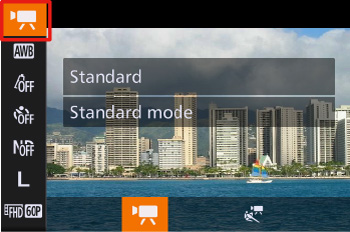
Press the ⋖


4. Choose [Super Slow Motion Movie] (
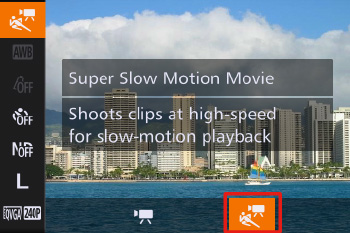
Press the ⋖

Then, press the ⋖FUNC./SET⋗ button (
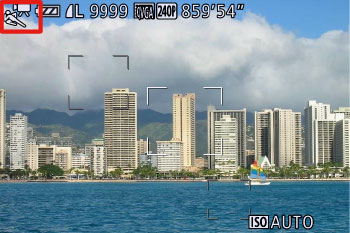
5. If the following icon appears, the setting is complete.