
 Close
Close









Solution
MP Navigator EX enables you to specify the response resulting from pressing a button on the machine (Scanner Button). You can specify the response individually for each event.
1. Start MP Navigator EX.
The MP Navigator EX Navigation Mode screen or One-click Mode screen appears.
2. Click Preferences.
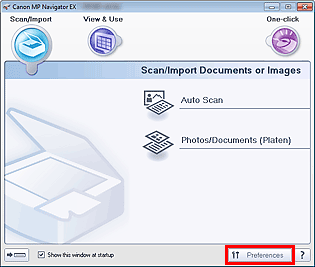
The Preferences dialog box opens.
3. Specify a function to assign to each Scanner Button on the Scanner Button Settings tab.
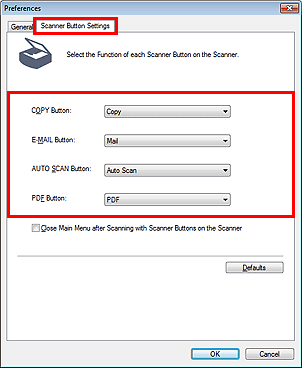
4. Click OK.
The operation will be performed according to the settings when you press a button on the machine (Scanner Button).