
 Close
Close









Solution
The self-timer is useful when you want to photograph yourself or prevent camera shake caused when the shutter is released.
1. Set the power switch to ⋖ON⋗.
2. Press ⋖ 
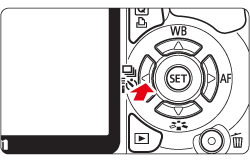
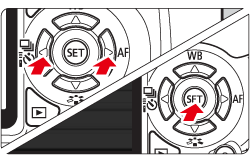
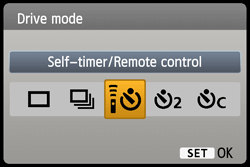
3. Press ⋖Cross Keys⋗ to select the desired self-timer, then press ⋖SET⋗.


4. Look through the viewfinder, focus the subject, then press the shutter button completely.
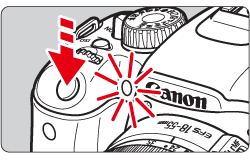
You can check the self-timer operation with the self-timer lamp, beeper, and countdown display (in seconds) on the LCD monitor.
Two seconds before the picture is taken, the self-timer lamp will stay on and the beeper will sound faster.
Caution
With [
Caution
After taking self-timer shots, you should check the image for proper focus and exposure.
If you will not look through the viewfinder when you press the shutter button, attach the eyepiece cover. If stray light enters the viewfinder when the picture is taken, it may throw off the exposure.
When using the self-timer to photograph only yourself, use focus lock on an object at about the same distance as where you will stand.
To cancel the self-timer after it starts, press the ⋖ ⋗ button.
⋗ button.