
 Close
Close





Solution
You can hold the shutter button all the way down to shoot continuously.
For details on the shooting modes in which the [Continuous] (
Caution
 ).
). 1. Press the power button to turn the camera on.
2. Press the ⋖FUNC./SET⋗ (
3. The following screen appears.
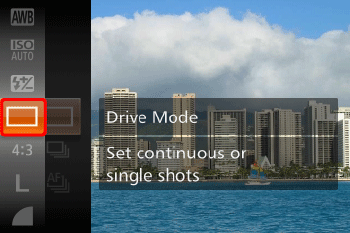
Press the ⋖


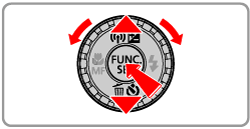
4. The following screen appears.
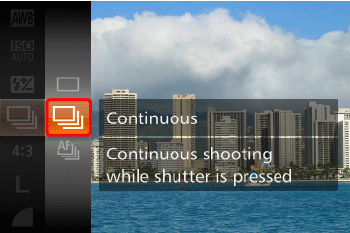
Press the ⋖
5. The following screen appears.
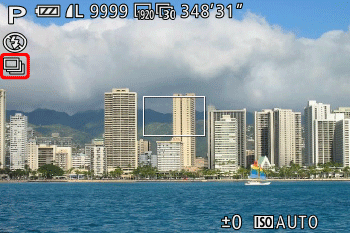
If the [Continuous] (
Hold the shutter button all the way down to shoot continuously.
| Drive Mode | Description |
|---|---|
| Continuous | Continuous shooting, with the focus and exposure determined when you press the shutter button halfway. |
 Continuous Shooting AF Continuous Shooting AF | Continuous shooting and focusing. [AF Frame] is set to [Center] and cannot be changed. |
 Continuous Shooting LV* Continuous Shooting LV* | Continuous shooting, with the focus fixed at the position determined in manual focusing. In [Fireworks] (  ) mode, focus is determined by the first shot. ) mode, focus is determined by the first shot. |
) mode, AF lock, or manual focus mode, [Continuous Shooting AF] () is changed to [Continuous Shooting LV] ().
Caution
If you use Face ID, the name recorded in the image will be fixed to the location where it is displayed in the first shot. Even if the subject moves, the name will stay fixed in the same position for any subsequent shots.
Caution
The following three drive modes are available. Please select them according to the scene being shot.
For details on the maximum speeds of the (
| Model | Maximum Speed (Approx. Images/sec.) | Modes in which [Continuous] cannot be set | |||
|---|---|---|---|---|---|
| | |  When Set | ||
| PowerShot SX280 HS PowerShot SX270 HS | 3.8 | 1.0 | 1.0 | 14 |  , ,  , ,  , ,  , ,  , ,  , ,  , ,  |