
 Close
Close









Solution
Raise the [ISO speed] to use a fast shutter speed when you wish to reduce the effects of camera shake or avoid blurry subjects, or to turn the flash off when shooting in a dark area.
Caution
 ).
).- [Movie Digest] (
1. Press the ⋖Power⋗ button on the camera.
2. Press the ⋖FUNC./SET⋗ (
3. The following screen appears on the LCD monitor.
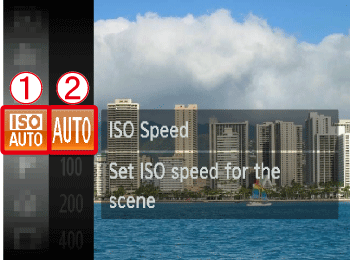


4. Select the [ISO Speed].
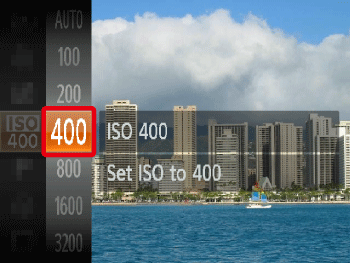
Operate the ⋖directional buttons⋗ up or down to select an [ISO Speed]* of your choice.
After the selection is made, press the ⋖FUNC./SET⋗ button (
* The appropriate [ISO Speed] differs depending on shooting locations. If the camera shake warning icon (
| Guidelines when changing the ISO speed | |
|---|---|
 | Automatically adjusts the ISO speed to the Shooting mode and shooting conditions. |
  | Fine weather conditions, outdoor shooting. |
  | Cloudy, twilight |
  | Nightscapes, dark interiors |
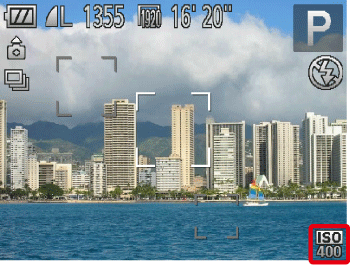
5. If the following icon is shown, the setting is complete (if setting [ISO Speed] to 400).
Caution
When the camera is set to [ISO AUTO] (
Caution
 ) you can set an even faster speed.
 ) mode so that you can shoot in dark places with reduced camera shake and subject blur. This mode is recommended for shooting in candlelit or similarly lit scenes.
 ) size.