
 Close
Close









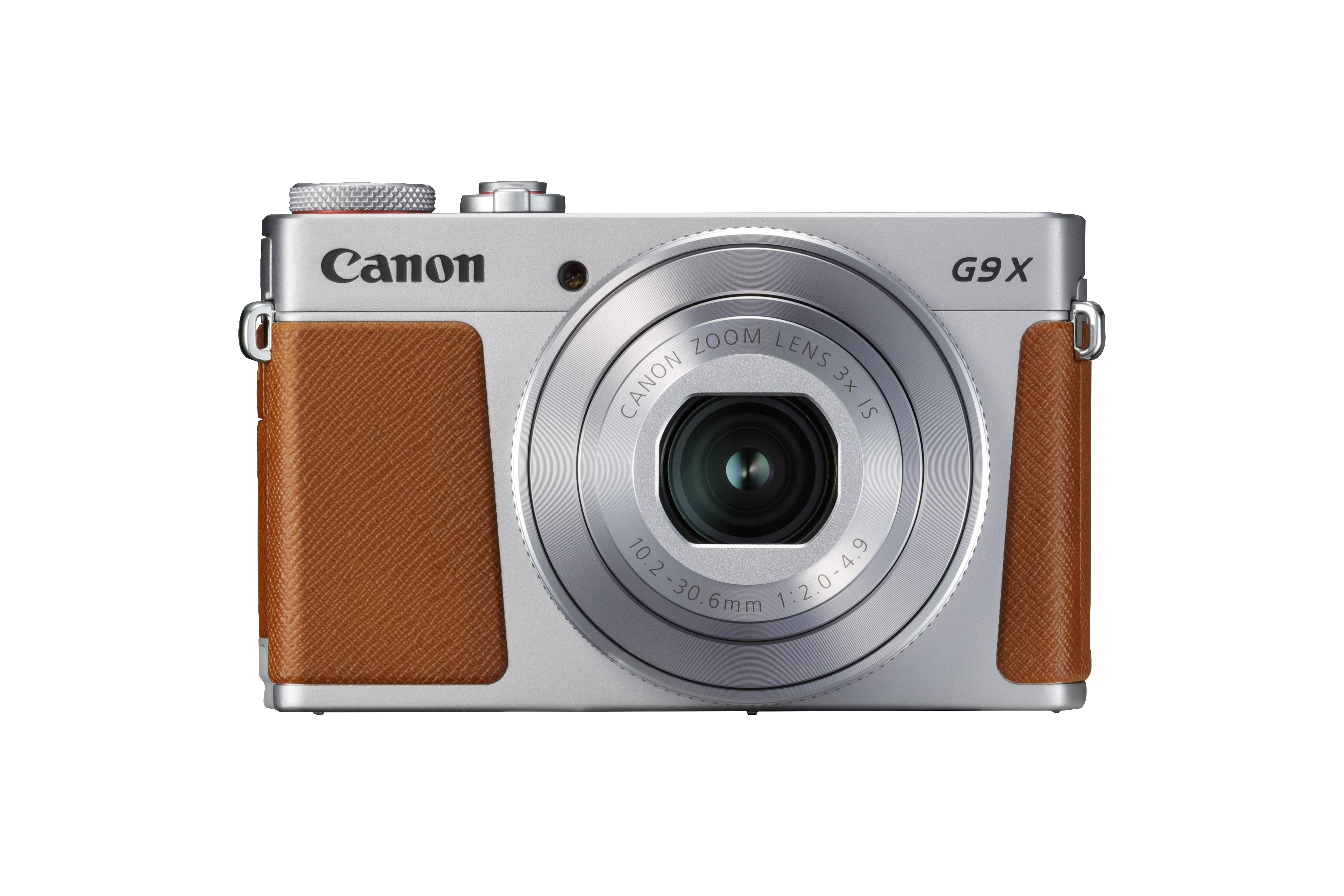
Changing Control Ring Settings
Reassign control ring functions as follows.
Using the control ring is an enjoyable way to control the camera as you would a fully manual camera.
1.Turn the camera on.
Press the power button.
The startup screen is displayed.
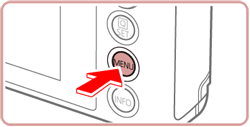
2.Access the menu screen.
Press the [MENU] button.
3.Choose a function to assign to the [ 
Touch [  ], and then touch [2].
], and then touch [2].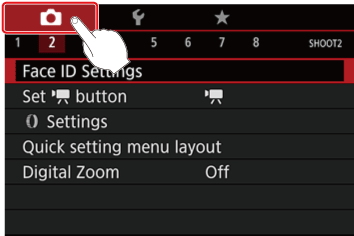
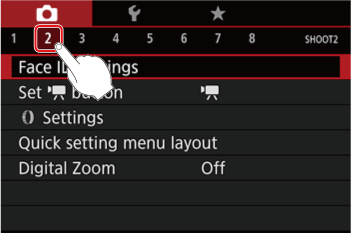
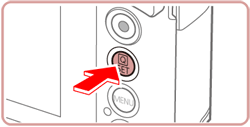
Touch [ Settings ], and then press the [  ] button.
Settings ], and then press the [ ] button.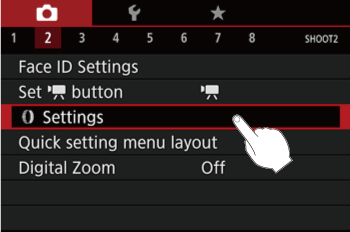
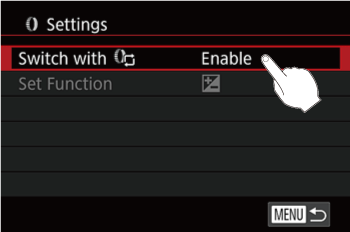
Touch [ Switch with  ].
].
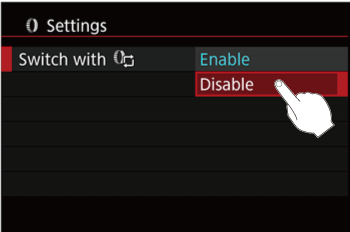
].
Touch [Disable] on the screen displayed.
Touch [Set Function].
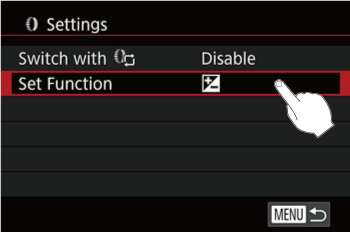
4.Configure the assigned function.
Touch the desired menu item on the screen displayed to select it.
Press the ⋖ ⋗ button to complete the setting.
⋗ button to complete the setting.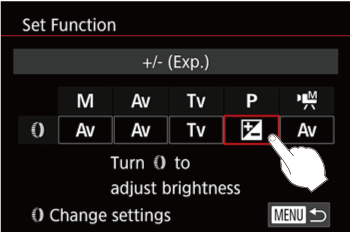
Functions Assignable to the Control Ring
Functions you can assign to the control ring vary depending on shooting mode.
| Item | Shooting Mode | |||
 / /  |  |  |  | |
| | |  | |
| | | | |
 | Adjust the ISO speed | |||
 | Correct the exposure | |||
 | Correct white balance | |||
 | Perform step zooming (except in mode) | |||
 | Set the Auto Lighting Optimizer effect | |||
 | Adjust the aspect ratio (except in mode) | |||
Caution
The [ ] ring can be used for step zooming in [AUTO] or [  ] mode.
] ring can be used for step zooming in [AUTO] or [ ] mode.